Reset your password
Account AccessIt happens to the best of us - you've forgotten your password. Don't worry, resetting your password on the NCN Capital platform is quick and easy. Follow the steps below to regain access to your account.
Quick and easy - Restore
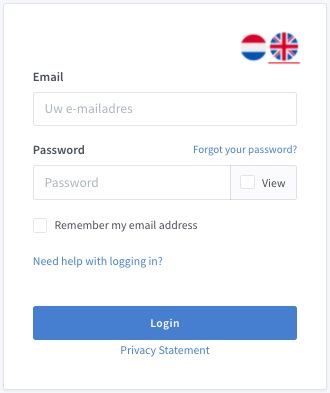
Navigate to the NCN Capital login page. Below the login fields, you will find a "Forgot password?" link. Click on it to start the password reset process.
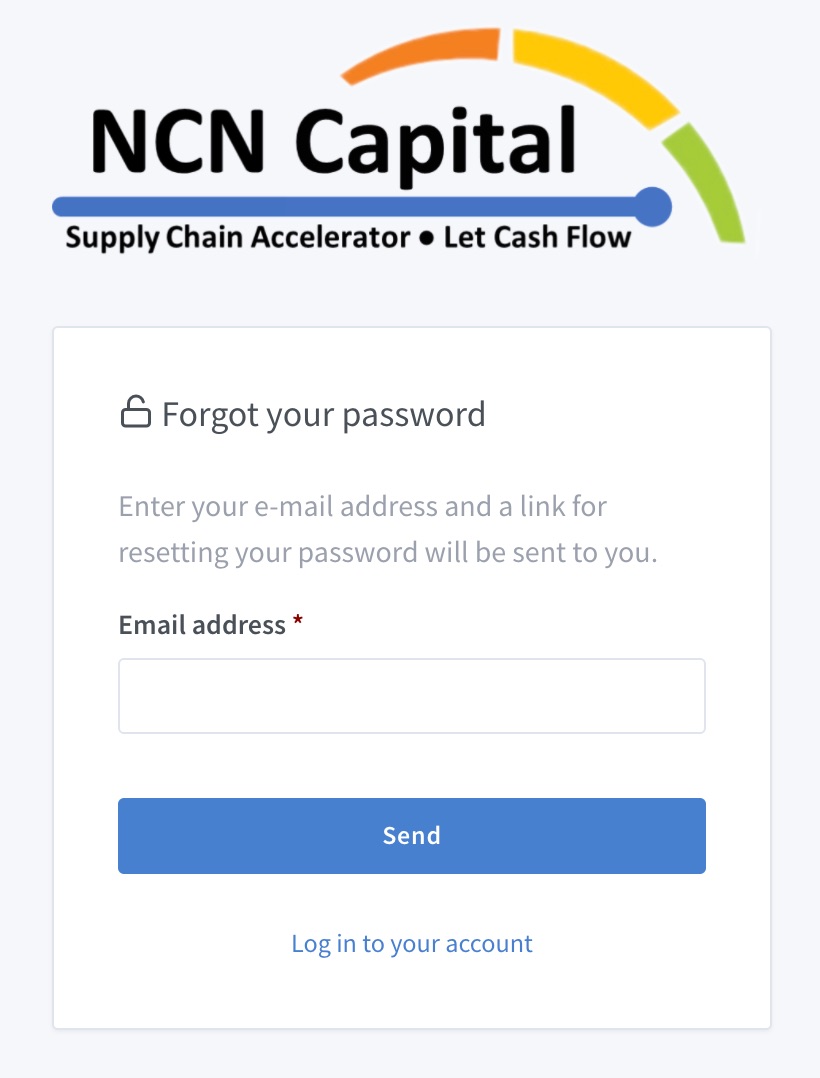
After clicking the link, you will be asked to enter the email address associated with your account. Enter your email and click the submit button. You will receive an email with instructions to reset your password.
Check your inbox (and spam folder) for the password reset email. Click the link in the email to proceed to the password reset page.
Choose your new password
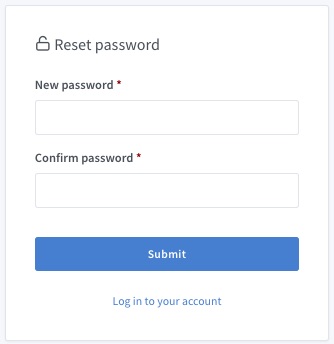
On the password reset page, enter your new password. Make sure it meets the security requirements: at least 8 characters, including a mix of uppercase letters, lowercase letters, and numbers. Confirm your new password and click save.
That's it! You can now log in with your new password. If you continue to experience issues, please don't hesitate to contact our support team.